

Project details
 Figma
Figma Adobe Illustrator
 Procreate
 Adobe Photoshop
 Unity
Unity Clip Studio Paint
 HTML5
HTML5 JavaScript
 Ziflow
 Airtable
- Video Game UI/UXRedesigned the home screen, match setup, settings, and pack builder around the choices players make each session.
- Game UI Art DirectionSet a visual direction for the interface study that kept the game’s sticker-style animals and humor intact.
- Cross-Platform Game UIAdapted interface concepts for touch and pointer input across mobile, web, and PC.
- Game Interaction DesignWorked through hover, press, drag, and victory feedback so each action had an obvious response.
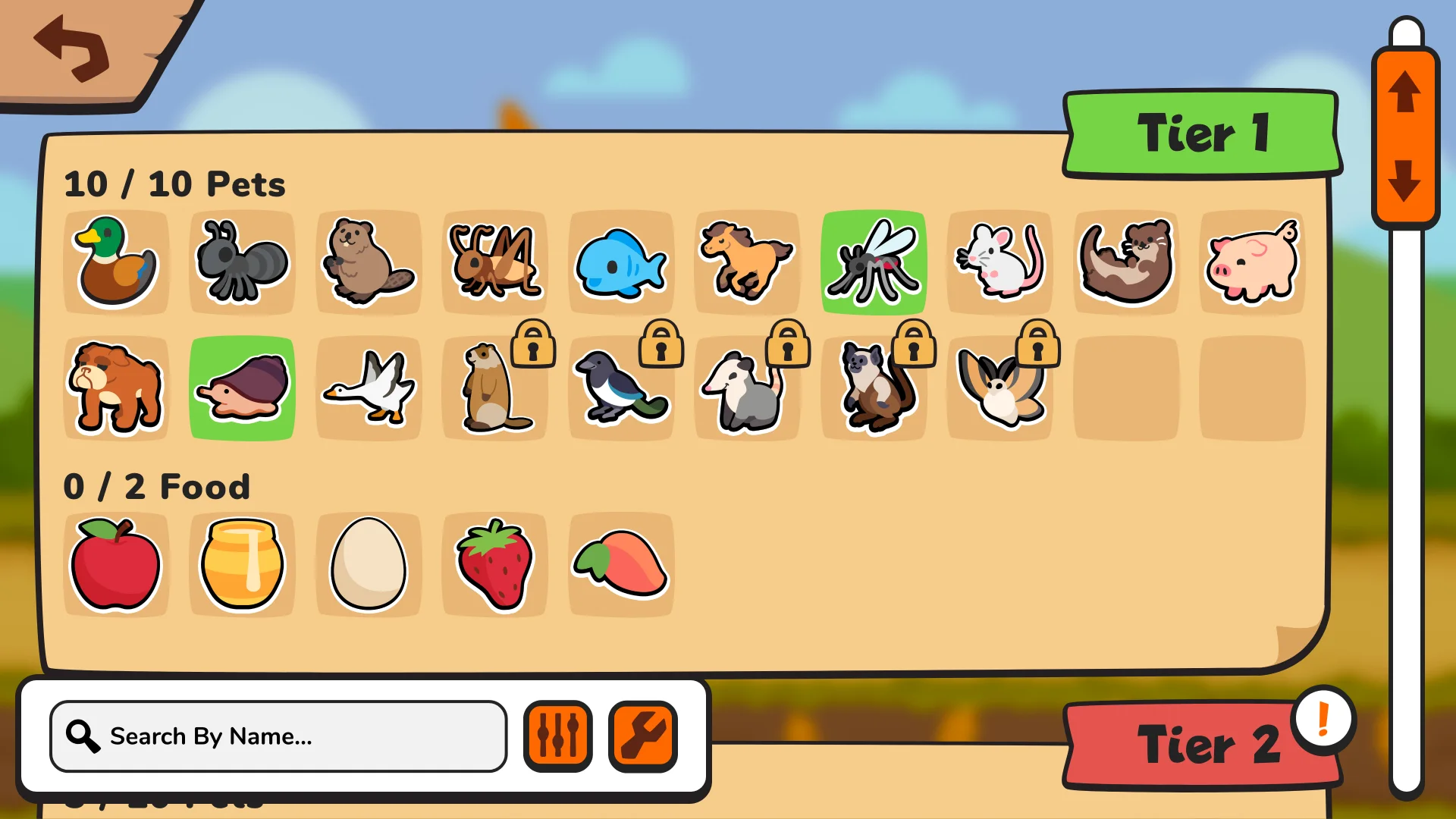
- Pack Builder UXOrganized pet and food selection with search, filters, detail views, and pack counts.
The Interface Study
Super Auto Pets already has a strong look: sticker-like animals, chunky panels, bright color, and a good sense of humor. I explored how its interface could make the next decision easier to read while keeping that personality intact.
I redesigned the mobile home screen, custom pack builder, private match setup, settings, progression feedback, and interaction states. Unity was the game engine used to build for mobile, web, and PC, so the interface had to make sense across touch and desktop play.
What Super Auto Pets Is
Super Auto Pets is a strategic auto-battler where players collect, combine, and battle teams of charming pet stickers. The interface has to support that strategy while still feeling approachable: players are managing pets, food, packs, turns, trophies, hearts, and match options, but the experience should still feel light and funny.
The overview panel places a quick explanation beside a battle example. It gives a new player enough context to understand the loop without putting a manual between them and the game.

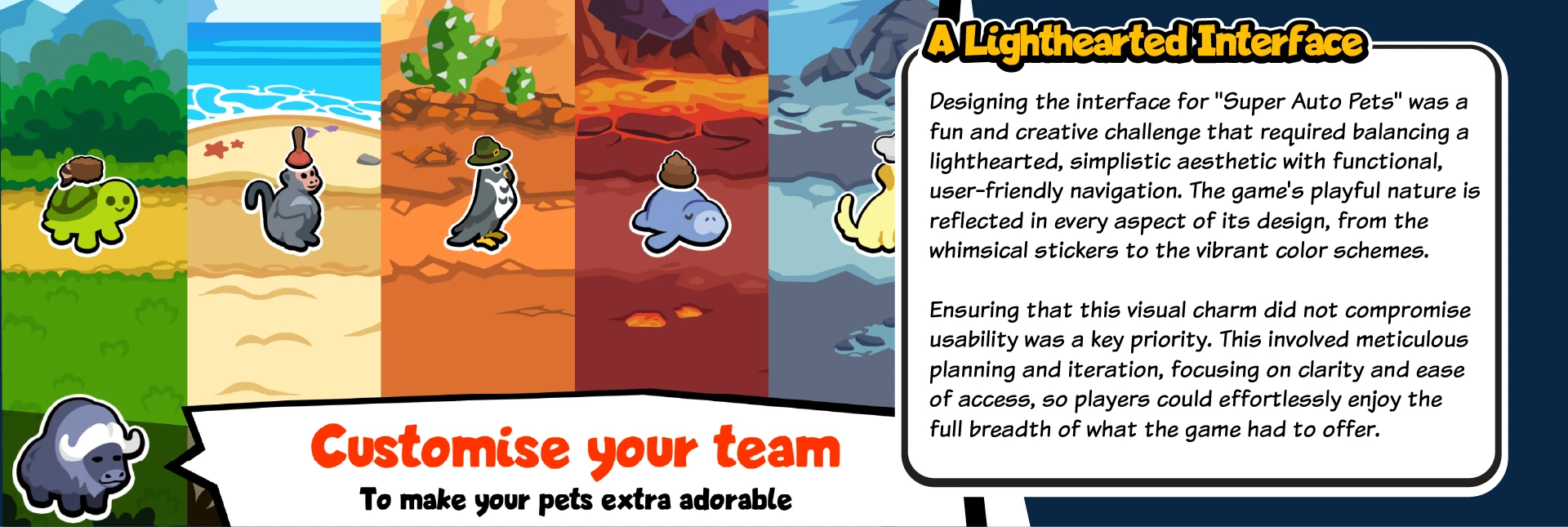
A Lighthearted Interface
Super Auto Pets needs to feel friendly before it feels technical. The interface direction uses oversized buttons, playful framing, bright backgrounds, and expressive sticker-like pets so important choices still feel like part of the game world.
The friendly look still has to tell players what to do. I kept the route to a match, custom pack, and settings easy to spot, then used labels and panel hierarchy to separate the choices that matter now from the ones that can wait.

Strategy and Battle Flow
A major part of the experience is the loop between shopping, building, and battling. Players spend limited coins each round to buy pets, combine upgrades, choose food, and commit to a team before the battle phase tests those decisions.
Because the strategy is already doing a lot of mental work, the UI has to make state obvious. Coins, hearts, trophies, timers, team placement, shop inventory, and the end-turn action all need to be readable at a glance so players can focus on decisions instead of deciphering the screen.

Deck Building and Pack Creation
Custom packs create a more advanced deck-building style problem inside a casual game shell. Players need to choose pets and food from a large pool, understand what is locked or unlocked, inspect abilities, and make changes quickly.
The custom pack flow uses large selectable tiles, filtering and search controls, clear counts, and pet detail overlays to keep the tool usable for newer players while still supporting faster optimization for experienced players.

Modes, Settings, and Finishing Touches
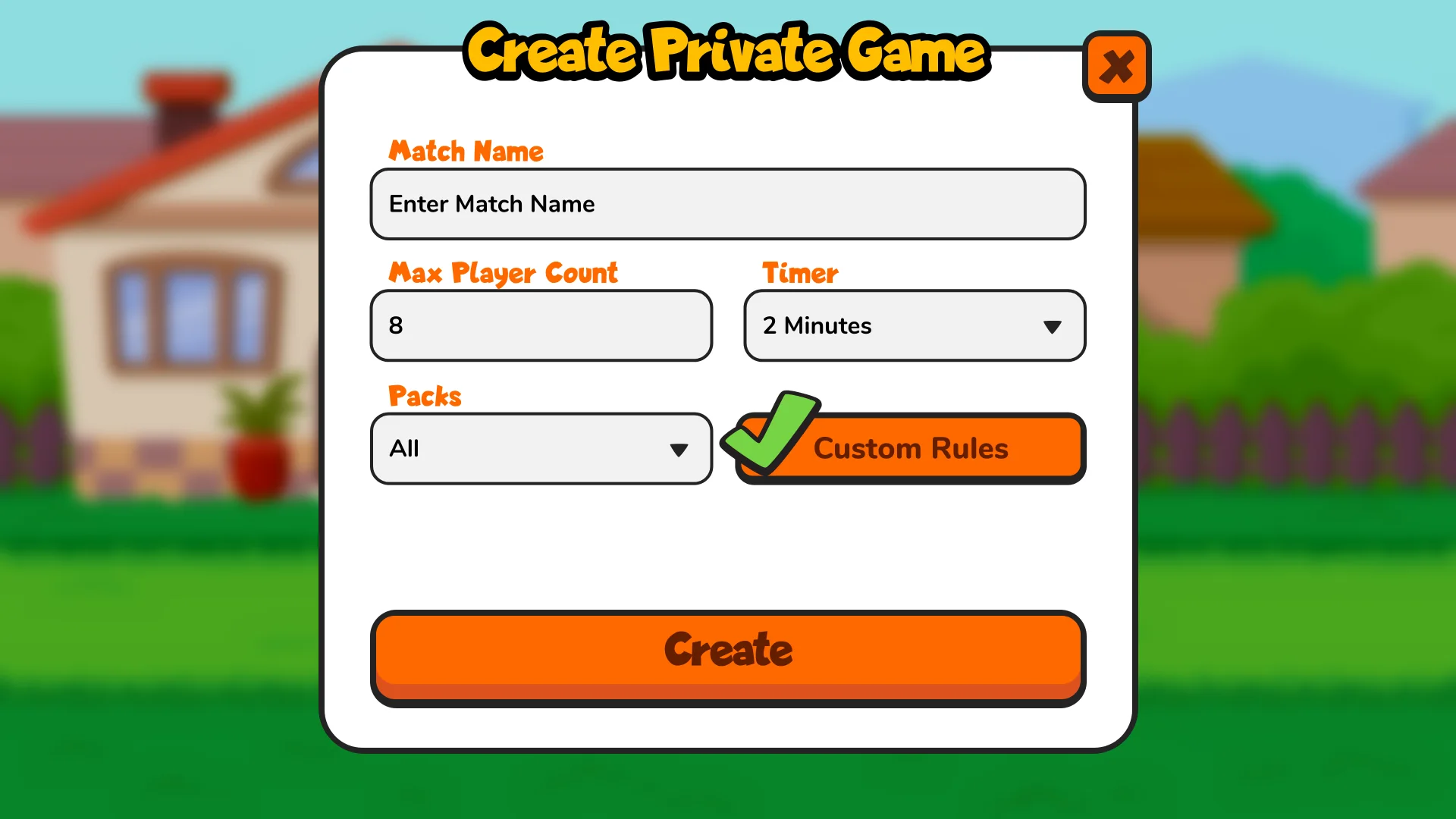
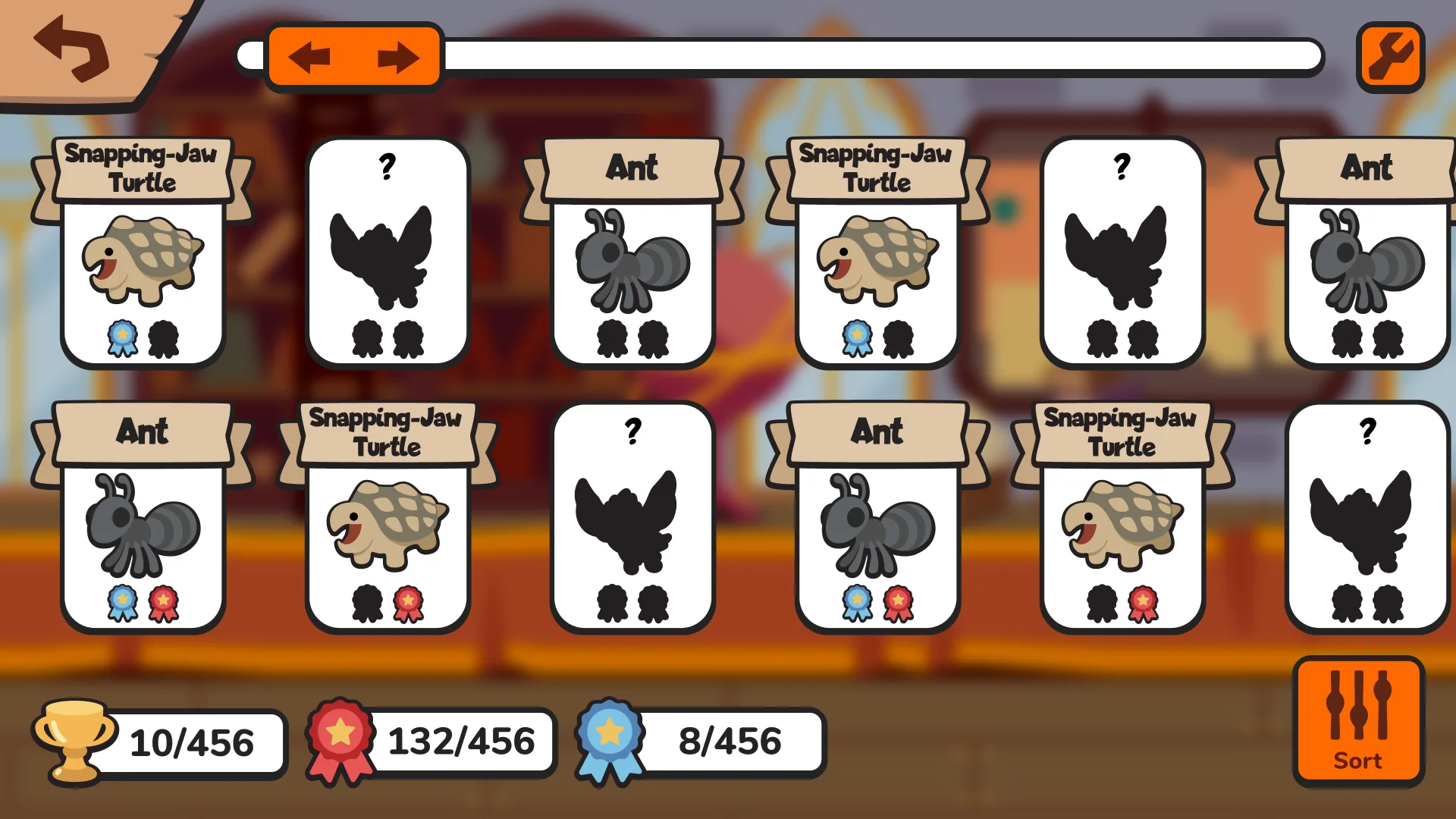
Beyond the main loop, the interface also had to account for private matches, real-time versus games, custom lobbies, sorting, settings, and small feedback states. Those secondary systems can quietly become the places where a playful game starts to feel confusing.
Private matches and settings needed the same care as the main battle screen. Match rules stay visible during lobby setup, settings are grouped by task, and feedback states tell players what changed after an action.

Interface System Screens
These screens take the same visual rules into pack management, private games, settings, feats, and battle states. Touch targets have room on mobile, while PC states make hover and pointer feedback useful rather than decorative.





Interaction Details
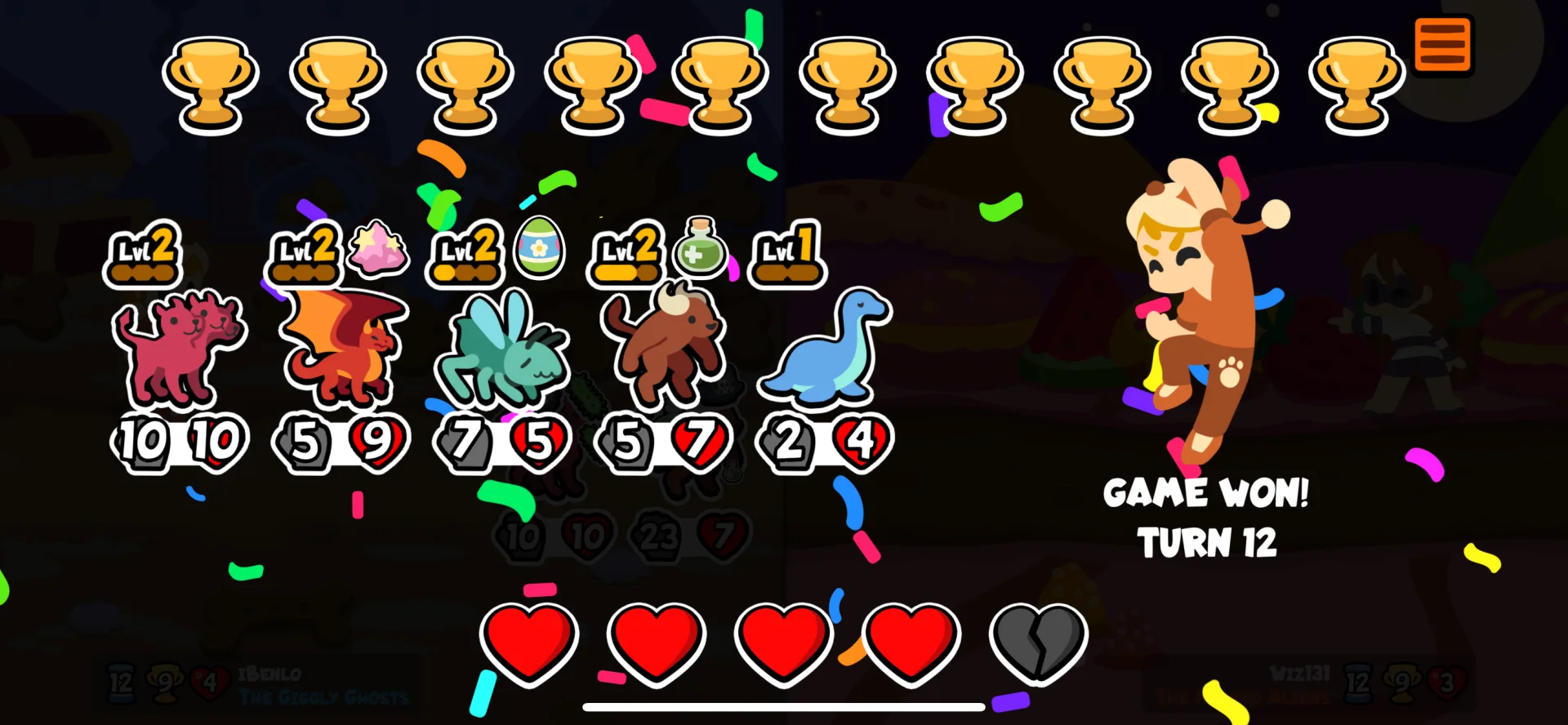
I worked through hover, press, drag, and victory states because each one answers a small question: can I select this, move it, change it, or celebrate it? Those details make the game easier to use without making it less playful.
On mobile, that meant big touch targets and clear visual changes. On PC, it also meant a custom cursor language that matched the game's chunky hand-drawn style instead of falling back to a generic pointer.

The test was simple: keep the joke, but make the next move obvious.