
A New Digital Foundation for Clover Creek
Clover Creek Ready Mix had a small Squarespace site, a supplied logo, real jobsite photography, and plenty of business knowledge that was difficult to find online. The site did not clearly explain the delivery area, which projects were a fit, how to prepare an order, or where concrete supply ended and contractor work began.
Through Grisb.io, I designed, wrote, and developed the replacement from scratch as a custom WordPress theme. The work included responsive layouts, native editing tools, a concrete calculator, protected forms, local SEO and analytics, plus the move to DreamHost. No prebuilt theme or page builder was used.

Turning Real Business Details Into Useful Pages
I started with the information Clover Creek already had: its Mona location, delivery work, project photography, contact details, and the questions people ask before ordering. That became a 16-page public structure covering ready mix, delivery, service area, residential and commercial work, ordering, preparation, and focused project types.
The writing keeps the company on the correct side of an important boundary. Clover Creek supplies and delivers ready mix. It does not claim to design, place, finish, or engineer the work. Keeping that distinction visible made the site more accurate and gave homeowners and contractors a clearer idea of what to prepare before calling.

A Visual System Built for the Work
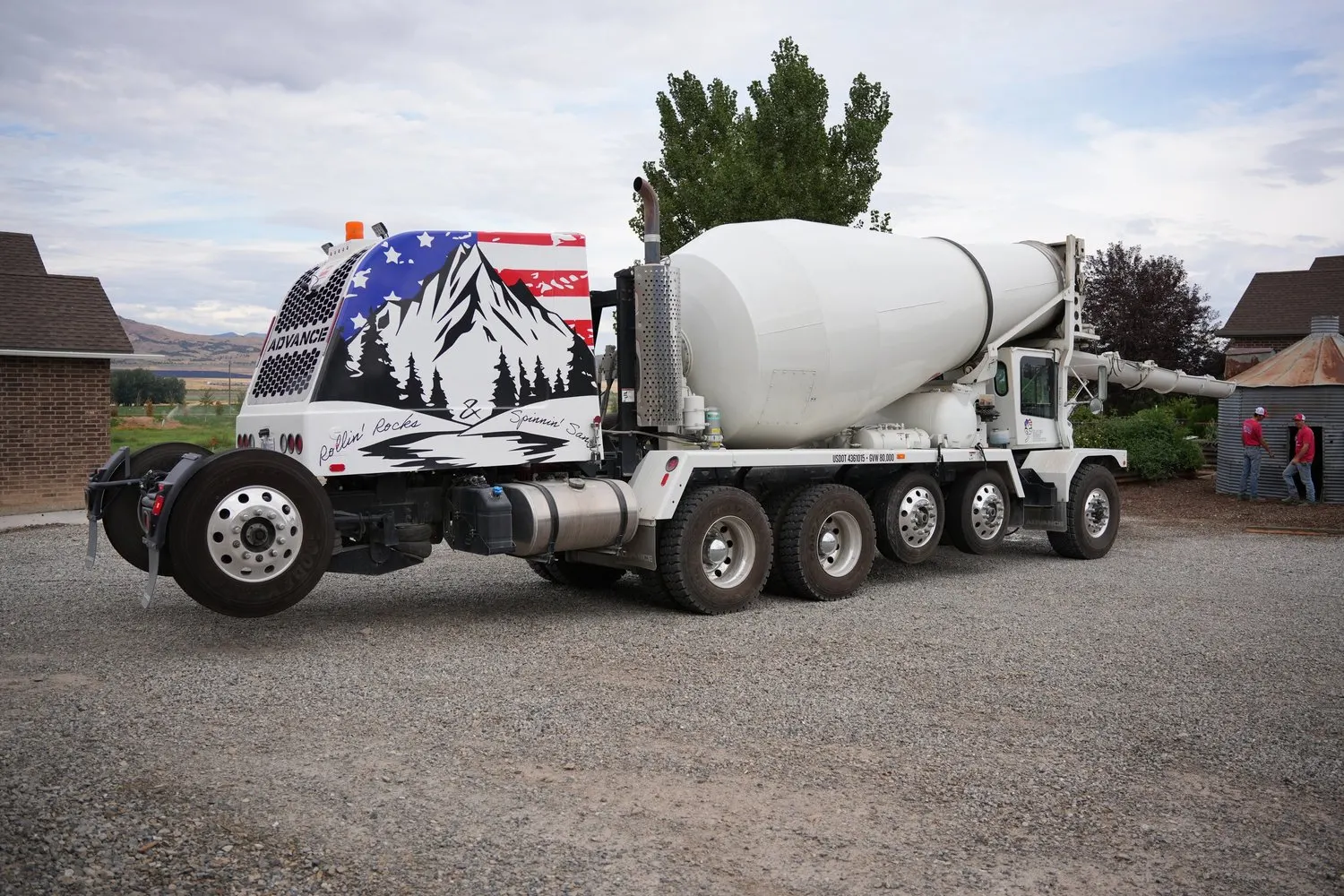
Clover Creek supplied the logo, so I treated it as the starting point rather than claiming a rebrand. I extended it with asphalt and concrete neutrals, safety-yellow actions, large readable type, Utah jobsite photography, and a call path that stays easy to find. The result belongs to the company without leaning on a stock construction aesthetic.
I built the mobile experience as its own layout problem. Navigation becomes a compact drawer, the call action stays easy to reach, and large headings reflow without losing their hierarchy. The site carries the same tone at a narrow width instead of shrinking the desktop design until it technically fits.
Making Concrete Ordering Easier
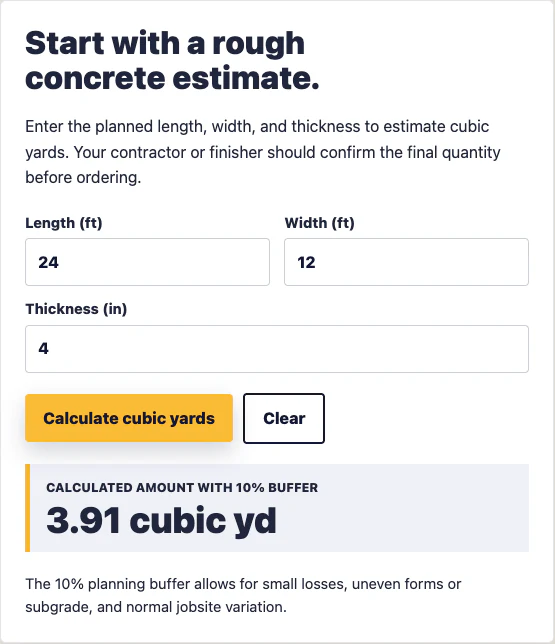
I built a custom concrete calculator that converts length, width, and thickness into cubic yards, then adds an explained 10 percent planning buffer. The surrounding ordering guide collects the details Clover Creek needs before a call: project address, rough quantity, thickness, truck access, crew readiness, and timing.
It is deliberately a planning estimate. The contractor or finisher still confirms the final quantity before concrete is ordered.
A Service Architecture Built Around Intent
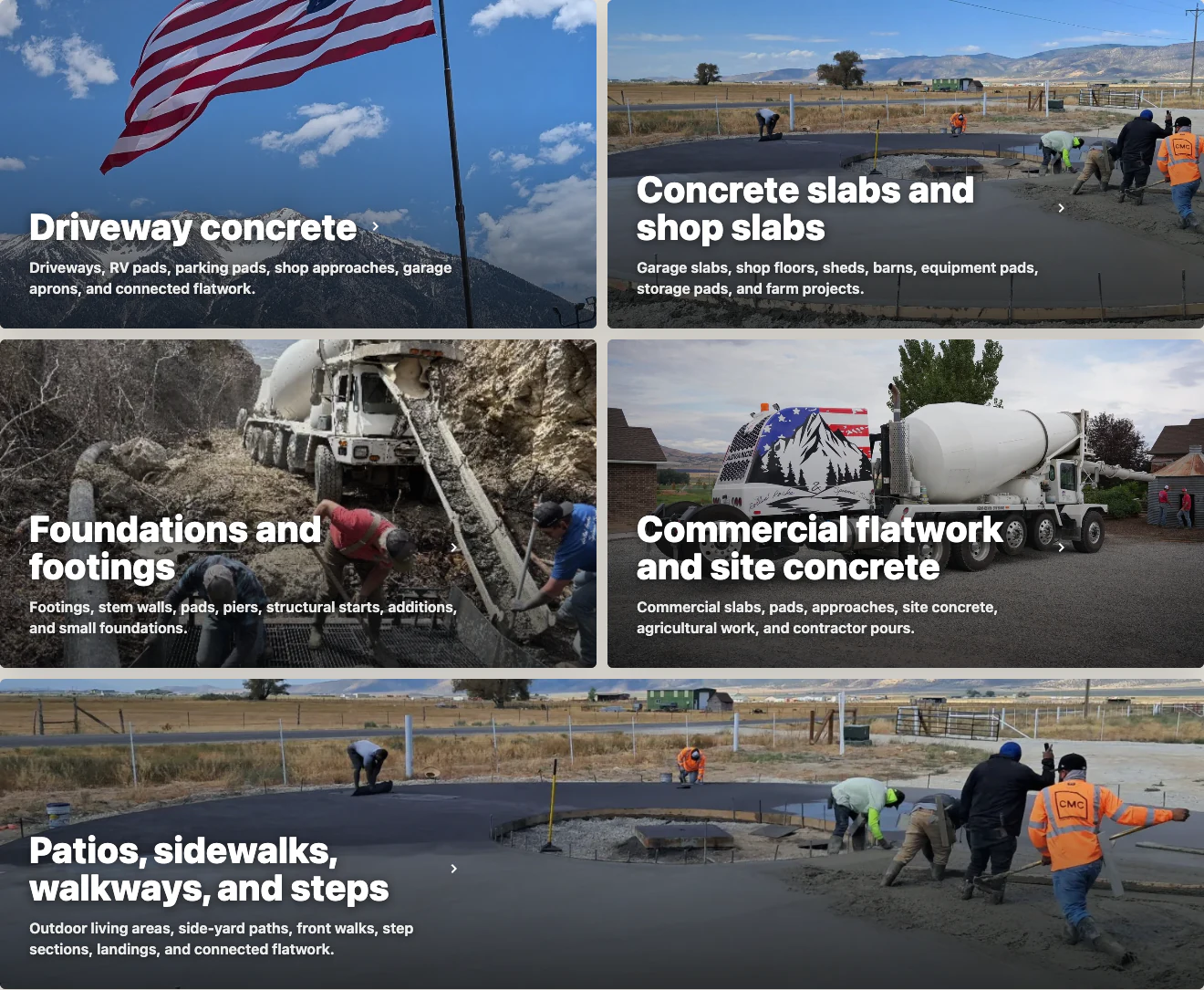
Ready mix, delivery, residential work, commercial work, and project planning each needed a distinct job on the site. The project section groups driveways, slabs and shops, foundations and footings, commercial flatwork, patios, sidewalks, and related work around the decisions a visitor is actually trying to make.
I did not turn every repeated service phrase into its own landing page. Pads, approaches, barns, and agricultural work stay under stronger parent pages when the planning advice overlaps. That gave each indexable page a distinct job and avoided thin pages created only to target another keyword.
A Custom WordPress Theme the Client Could Maintain
I built the WordPress theme from scratch using native blocks, reusable patterns, and controlled variations. Content-only locks protect the layout while leaving approved copy and media editable. A limited Clover Content Editor role keeps everyday page work available without exposing theme settings or code.
Global business information such as phone, email, addresses, and hours lives in a focused administration screen. Those values feed the header, footer, page content, metadata, and LocalBusiness data, so a phone-number update does not become a scavenger hunt across saved blocks and theme files.
Local SEO Built Into the Launch
Organic search shaped the site from the beginning rather than being added after the build. Each indexable page answers a distinct customer question and has its own title, description, canonical URL, internal links, and social metadata. I added LocalBusiness, WebSite, WebPage, breadcrumb, and FAQ schema, plus a curated sitemap, Search Console, and redirects from the old Squarespace routes.
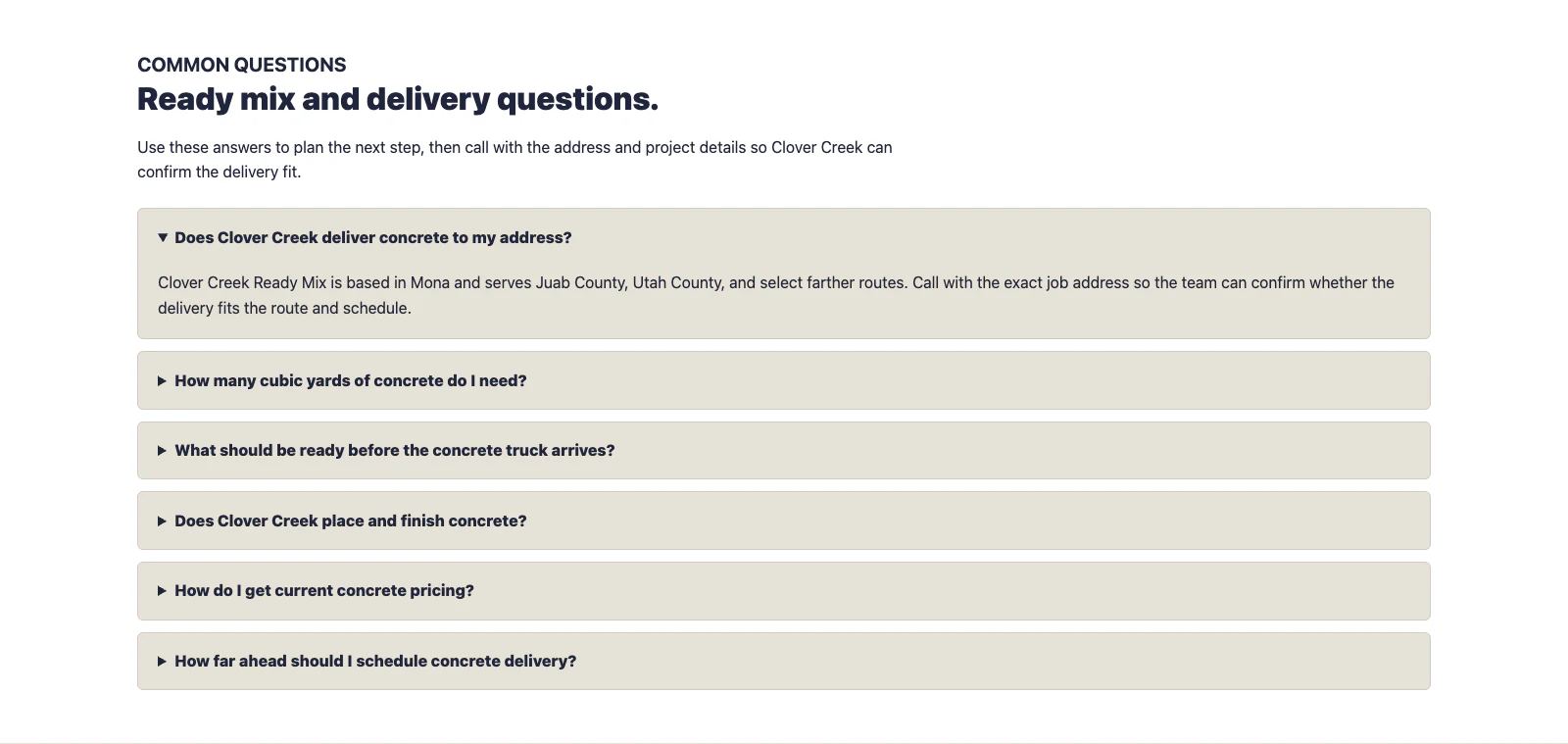
The visible content remains the source of truth. FAQs cover delivery, quantity, access, pricing, and scheduling in plain language, while structured data mirrors those answers. I left additional location pages for future search evidence instead of creating them on speculation.
The final review confirmed that the intended pages, sitemap, redirects, canonicals, and structured data were working as planned. Search Console soon began recording impressions for concrete supply, ordering, and shop-slab searches. I treat those as a starting point, not a ranking result.
Protected Forms and Useful Measurement
The contact path uses Grisbio Forms with Cloudflare Turnstile, honeypot and timing checks, rate controls, and layered vendor-spam screening. Review routing is handled without exposing private recipients or security details in the public interface.
GA4 and Search Console were configured alongside privacy-safe events for calls, contact actions, email clicks, calculator use, and lead steps. Those events create a baseline for learning after launch. They are not presented as proof that a short reporting window produced long-term growth.
Moving Hosting Without Moving the Domain
The domain remained registered at Squarespace while the website moved to DreamHost. I handled the production boundary between registration, DNS, hosting, HTTPS, apex and www behavior, cache checks, and exact redirects from the older Squarespace paths.
That work is easy to overlook because a good migration mostly looks uneventful. The important result was that the intended pages returned securely at their final addresses, older routes went where they were supposed to go, and the new site could be measured from its actual production domain.